Introduction
There are new web frameworks and development stacks coming out every day with a multitude of new features. Many of these are free and open-source, and have a large developer community behind them. However if you’re looking to start with a tested and well-documented set of solutions for developing web applications, the LAMP stack is a good choice. It consists of Linux, Apache, MariaDB/MySQL and PHP. This fact that each component of this stack is open-source allows developers to commit to this solution without worrying about the risk of vendor lock-in. Stack Harbor has made it easy for you to begin developing and deploying your LAMP application into production using one of our Turnkey development stacks.
Accessing Your Stack
Once your Stack is built, point your browser to your public IP address. You should see the following webpage displayed on your browser, which indicates that apache was successfully installed:
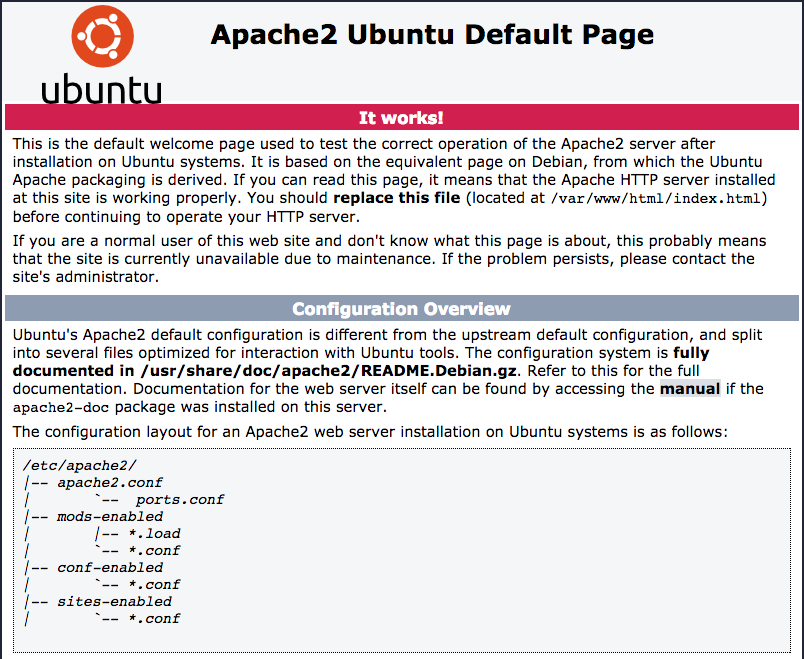
This means that your Stack can successfully serve web pages. In order to make use of the MariaDB server, you’ll need to get ahold of the root database credentials. For this, you will need to log into your Stack using SSH. If you don’t know how to SSH into your remote machine, we’ve written a detailed tutorial for you. Once you’re logged in, a block of text will be displayed to your terminal emulator. This text is called the message of the day (MOTD), which is shown every time you log into your machine and contains sensitive information regarding your installation. We recommend you take note of any credentials shown here and remove the MOTD by running rm -f /etc/motd. Once you run this command you will not be able to recover the MOTD and the information contained in it.
To authenticate with the MariaDB shell, run the following command:
mysql -u root -p
whereupon you’ll be prompted for your MariaDB root password which was shown in the MOTD. You can use the root credentials in your application in order to interface with the database server, but we HIGHLY recommend you create a separate user with different access permissions for each database application so that if one password is compromised, the entire database server is still secure.
Final Words
Congratulations! You’re ready to begin developing web application using the LAMP stack. Each one of the components of this development stack has been tested in production environments, and as such there are numerous sources on the web where you can get documentation and support. Check out our Community Section for more information regarding server administration and development tasks. From all of us at Stack Harbor, ahoy!